
2 Level Curriculum Map
A ready-to-use curriculum map with subject areas, courses per subject, and learning outcomes per course, with prerequisite relationships between outcomes. Duplicate and customise for your own programme.
Live and interactive — pan, zoom, and click nodes to explore the template.
About this template
A 2-level curriculum map adds a grouping layer — subject areas or program levels — above your courses, so you can see a large program’s structure at two scales instead of one flat list. Subject areas contain courses, courses contain learning outcomes, and prerequisite relationships run between outcomes.
This is the natural next step once a 1-level map starts to feel crowded. Grouping courses under subject areas (or years, or streams) keeps a big program readable and lets you reason about coverage both within a subject and across the whole degree.
Fork it, rename the subject areas to match your program, add your courses under each, and paste or import your outcomes — the AI fills in the specifics while the two-level structure stays intact.
When to use it
- You are mapping a larger program with multiple subject areas, streams, or departments.
- A single flat layer of courses has become too busy to read.
- You want to reason about outcome coverage both within a subject and across the whole degree.
- You are graduating from a 1-level map and need one more layer of structure.
Map structure
How this template organises its nodes, groups, and relationships.
Node types
- CurriculumRoot
- Subject Area
- Course
- OutcomeLeaf
Relationship types
How to use this template
- 1
Fork the template
Click "Use this template" to copy it into your account. The map structure, node types, and groups are all pre-built.
- 2
Customise for your institution
Rename groups, add your own courses or outcomes, and adjust the relationships to match your program structure.
- 3
Generate or import your content
Paste your syllabus or upload a PDF — the AI will populate the map structure with your actual content.
- 4
Publish or share
Share a live link with accreditation reviewers, embed the map in your website, or export it for reports.
First steps with this template
- Rename the subject-area groups to your program’s divisions (or use years / streams).
- Add your courses under the relevant subject area.
- Add learning outcomes to each course, or paste them in and let AI create them.
- Draw prerequisite links between outcomes to capture sequencing.
New to curriculum mapping? Start with our free 30-minute tutorial — Learn Curriculum Mapping — then come back and fork this template.
Frequently asked questions
- When should I use a 2-level map instead of a 1-level map?
- Use 2-level when a single layer of courses is too crowded to read, or when your program naturally divides into subject areas, streams, or years. If you just need course-to-outcome coverage for one program, the 1-level map is simpler.
- Can I group by year or stream instead of subject area?
- Yes. The grouping layer is just a container — rename it to whatever divides your program best: subject areas, program years, concentrations, or departments.
- Do I have to add prerequisites?
- No. Prerequisite links are optional. Add them when you want to show sequencing between outcomes; leave them out if you only need a coverage view.
More Curriculum Map templates
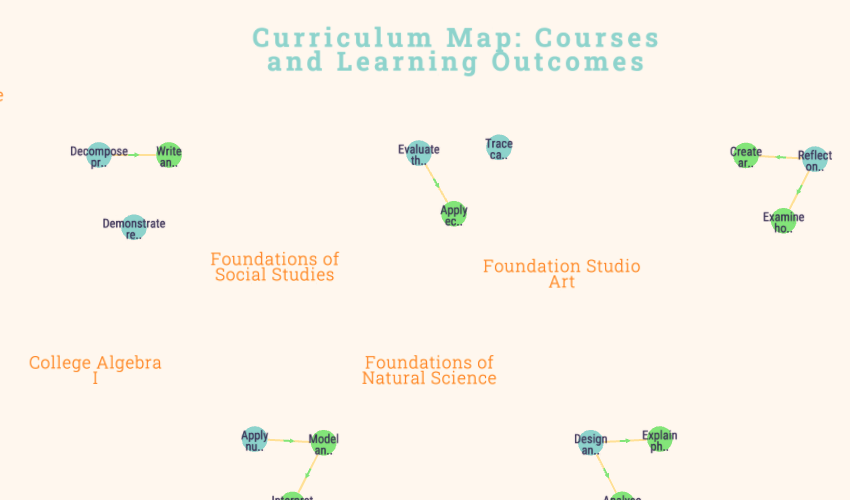
1 Level Curriculum Map
A ready-to-use curriculum map with courses and learning outcomes per course, with prerequisite relationships between outcomes. Duplicate and customise for your own programme.
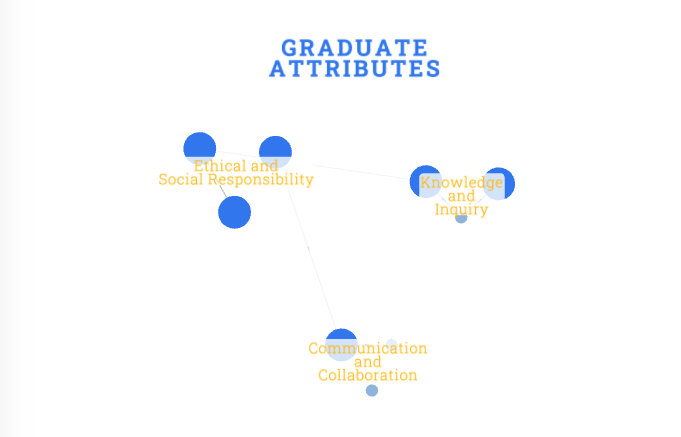
Graduate Attribute Map
A ready-to-use graduate attribute map showing how a programme develops broad graduate qualities. Each attribute has specific indicators, with supports edges showing how indicators reinforce each other. Common in Australian and NZ higher education (HESF, NZQA). Duplicate and customise for your own programme.
Ready to build your curriculum map?
Fork this template and have a working map in minutes. Free to start — no credit card required.