
2 Level Concept Map
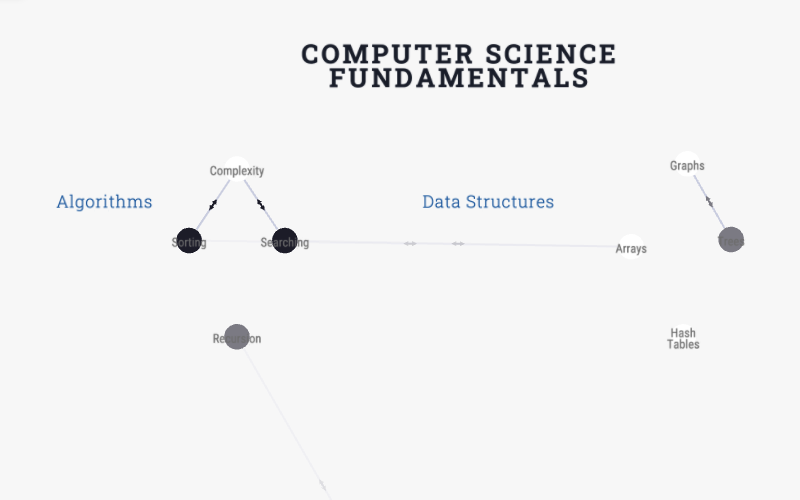
A ready-to-use concept map with a domain, themes, sub-themes, and concepts. Cross-links between concepts show how ideas relate across different parts of the map. Duplicate and customise for your own subject.
Live and interactive — pan, zoom, and click nodes to explore the template.
About this template
A 2-level concept map organises a whole subject or field into a deeper hierarchy — a domain, its themes, their sub-themes, and the individual concepts — with cross-links that show how ideas relate across different parts of the map.
Where the 1-level concept map suits a single course, this template is for the bigger picture: a discipline, a body of knowledge, or a research area with enough concepts that a single layer would be unreadable. The extra hierarchy keeps it navigable while the cross-links preserve the messy, interconnected reality of a subject.
Fork it, define your domain and themes, populate the concepts, and cross-link ideas wherever they connect.
When to use it
- You are mapping a whole subject, discipline, or body of knowledge — not a single course.
- There are too many concepts for a single flat layer to stay readable.
- You want to preserve cross-cutting relationships between ideas in different themes.
- You are building a knowledge base or research-area overview.
Map structure
How this template organises its nodes, groups, and relationships.
Node types
- DomainRoot
- Theme
- Sub-theme
- ConceptLeaf
Relationship types
How to use this template
- 1
Fork the template
Click "Use this template" to copy it into your account. The map structure, node types, and groups are all pre-built.
- 2
Customise for your institution
Rename groups, add your own courses or outcomes, and adjust the relationships to match your program structure.
- 3
Generate or import your content
Paste your syllabus or upload a PDF — the AI will populate the map structure with your actual content.
- 4
Publish or share
Share a live link with accreditation reviewers, embed the map in your website, or export it for reports.
First steps with this template
- Name the domain and add its major themes.
- Break themes into sub-themes where it helps navigability.
- Add the individual concepts under the right sub-theme.
- Cross-link concepts that relate across themes to show the real structure.
New to curriculum mapping? Start with our free 30-minute tutorial — Learn Curriculum Mapping — then come back and fork this template.
Frequently asked questions
- How is this different from the 1-level concept map?
- The 1-level map fits a single course (course → modules → topics). The 2-level map adds a deeper hierarchy (domain → themes → sub-themes → concepts) for an entire subject or field.
- How deep can the hierarchy go?
- This template is four levels deep, which suits most subjects. You can add or remove grouping layers to match how your knowledge area naturally divides.
- Can I use this as a knowledge base rather than a course map?
- Yes. Many teams use it to model a discipline, a research area, or an organisational body of knowledge — anywhere ideas nest into a hierarchy but still cross-connect.
Ready to build your curriculum map?
Fork this template and have a working map in minutes. Free to start — no credit card required.