
1 Level Concept Map
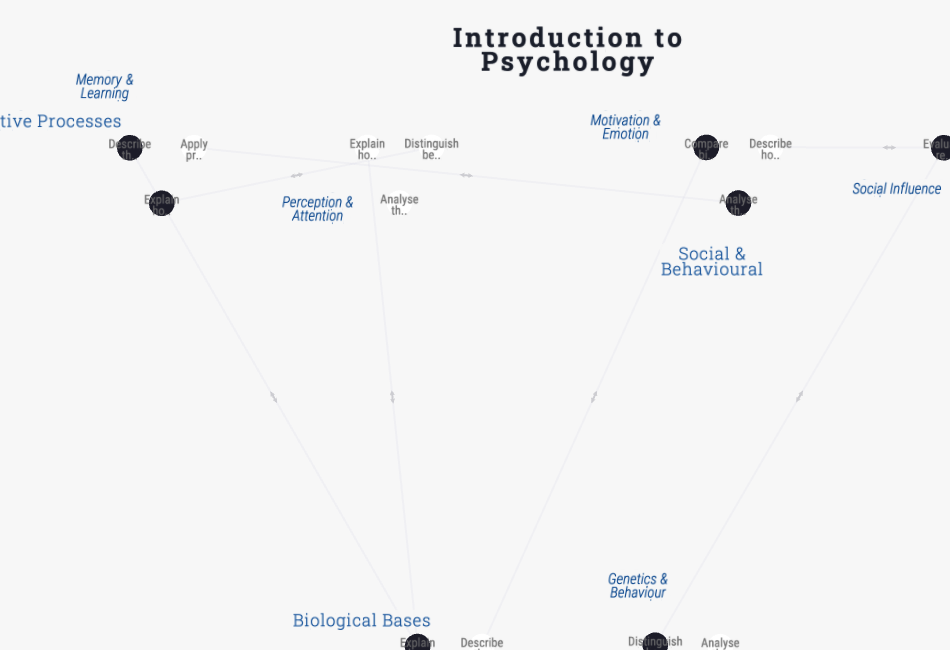
A ready-to-use concept map with one course, modules, and topics. Topics can link across modules to show relationships. Duplicate and customise for your own course or subject.
Live and interactive — pan, zoom, and click nodes to explore the template.
About this template
A concept map shows how the ideas inside a course relate to each other — not how courses map to outcomes. This 1-level template has one course, its modules, and the topics within them, with “relates to” links that can cross between modules to show conceptual connections.
It is the clearest way to expose the structure of a subject: which topics build on which, where ideas recur across modules, and where the conceptual load is concentrated. That makes it useful both for designing a course and for helping students see the big picture.
Fork it, rename the modules, add your topics, and draw “relates to” links wherever ideas connect — including across module boundaries.
When to use it
- You are designing or teaching a single course and want to show how its ideas connect.
- You want students to see the conceptual structure of a subject, not just a topic list.
- You are sequencing content and need to see which topics depend on or reinforce others.
- You want a study or revision aid that shows relationships, not just headings.
Map structure
How this template organises its nodes, groups, and relationships.
Node types
- CourseRoot
- Module
- TopicLeaf
Relationship types
How to use this template
- 1
Fork the template
Click "Use this template" to copy it into your account. The map structure, node types, and groups are all pre-built.
- 2
Customise for your institution
Rename groups, add your own courses or outcomes, and adjust the relationships to match your program structure.
- 3
Generate or import your content
Paste your syllabus or upload a PDF — the AI will populate the map structure with your actual content.
- 4
Publish or share
Share a live link with accreditation reviewers, embed the map in your website, or export it for reports.
First steps with this template
- Rename the modules to your course’s main units.
- Add the topics that sit within each module.
- Draw “relates to” links between topics — especially ones that cross module boundaries.
- Look for isolated topics or dense clusters as signals about your course structure.
New to curriculum mapping? Start with our free 30-minute tutorial — Learn Curriculum Mapping — then come back and fork this template.
Frequently asked questions
- What is the difference between a concept map and a curriculum map?
- A curriculum map links courses to learning outcomes (coverage). A concept map links ideas within a subject to each other (conceptual structure). Use a concept map when you care about how topics relate, not which course teaches what.
- What does the “relates to” link mean?
- It marks a conceptual connection between two topics — one builds on, contrasts with, or reinforces the other. Unlike a prerequisite, it doesn’t imply a strict order.
- When should I use the 2-level concept map instead?
- Use 2-level when you’re mapping a whole subject or field rather than a single course — it adds themes and sub-themes above the concepts for a deeper hierarchy.
Ready to build your curriculum map?
Fork this template and have a working map in minutes. Free to start — no credit card required.